
- Getting Started
- Technical Details
Core Concept
Wonka Chat consolidates your work across multiple software applications into a single chat interface. Instead of switching between different tools, you interact with one interface that coordinates actions across your connected systems.Think of it as your intelligent business assistant that:- Understands your company’s processes and data
- Connects to all your existing tools and systems
- Executes multi-step workflows across different platforms
- Keeps your data secure within your environment
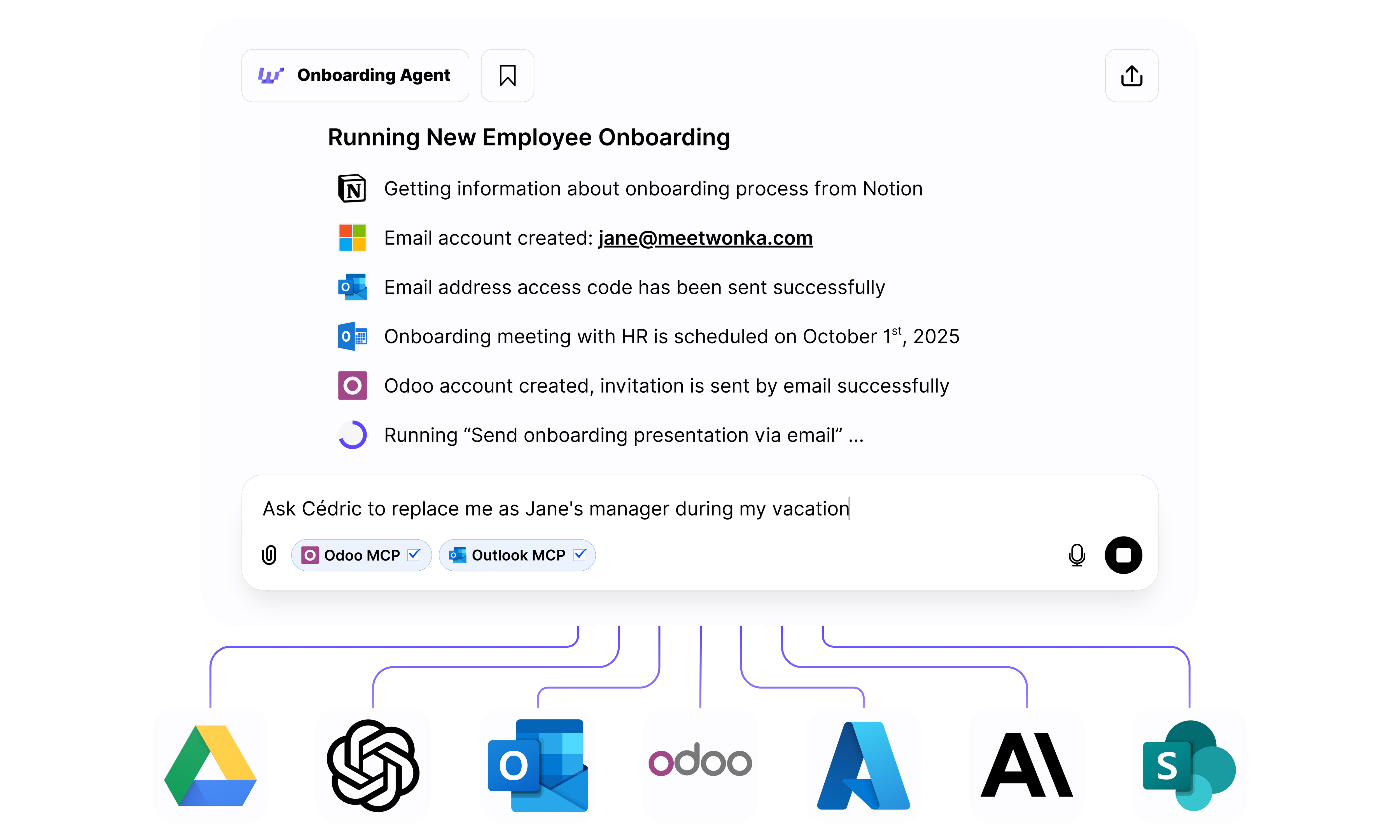
Example: Automated employee onboarding across multiple systems
- ✅ Gets information from Notion (onboarding checklist)
- ✅ Creates email account in Microsoft 365
- ✅ Sends access codes via Outlook
- ✅ Schedules onboarding meeting in Outlook Calendar
- ✅ Creates Odoo account and sends invitation
- ✅ Sends onboarding presentation via email
This is the power of WonkaChat: complex multi-step workflows across different tools, managed through natural conversation.
Key Capabilities
AI Agents
Create specialized agents for specific tasks like onboarding, reporting, or customer support that run autonomously on your behalf.
Tool Connections
Connect your existing business tools (from project management to CRM to communication platforms) so WonkaChat can work with your data.
Model Flexibility
Choose between thinking and fast/non-thinking models based on task complexity, and choose any AI model provider.
Business Teaching
Use your company’s knowledge by uploading documents and providing context. The AI Agents will adapt to your processes, terminology, and workflows.
What Can You Accomplish?
Real examples of what teams are doing with WonkaChat:Employee Onboarding in Minutes
Employee Onboarding in Minutes
Automatically create accounts, schedule meetings, send welcome materials, and set up access across all your systems with a single request.Example: “Onboard John Smith starting Monday” → Creates email, schedules HR meeting, adds to Slack, creates CRM account, sends laptop request.
Intelligent Document Search
Intelligent Document Search
Find information across all your connected systems (emails, documents, databases, wikis) without remembering where things are stored.Example: “Find the Q3 marketing budget proposal” → Searches Google Drive, SharePoint, Notion, and Confluence simultaneously.
Automated Reporting
Automated Reporting
Generate reports by pulling data from multiple sources, analyzing trends, and formatting results with no manual spreadsheet work.Example: “Create a sales performance report for last month” → Pulls CRM data, calculates metrics, generates formatted report.
Cross-Platform Workflows
Cross-Platform Workflows
Execute complex multi-step processes that span different tools, eliminating manual coordination and context switching.Example: “Create project in PM tool, notify team in Slack, send welcome email, schedule kickoff” → All happens automatically.
Meeting Intelligence
Meeting Intelligence
Schedule meetings considering everyone’s availability, send agendas from templates, capture notes, and distribute action items, all in one flow.Example: “Schedule quarterly review with leadership team next week” → Finds time slots, sends invites with agenda, creates notes doc.
Customer Support Automation
Customer Support Automation
Answer support questions using your knowledge base, create tickets, escalate when needed, and update customers to reduce response time.Example: “Customer asking about refund policy” → Retrieves policy, drafts response, creates ticket if needed, logs interaction.