
Locating Agents
Agent Usage Interface
There are two ways to access and start conversations with agents:1. Agent Marketplace
Access the agent marketplace from the top left of your screen. The marketplace organizes agents by categories, making it easy to discover and browse available agents. It is especially useful when you have many agents to choose from.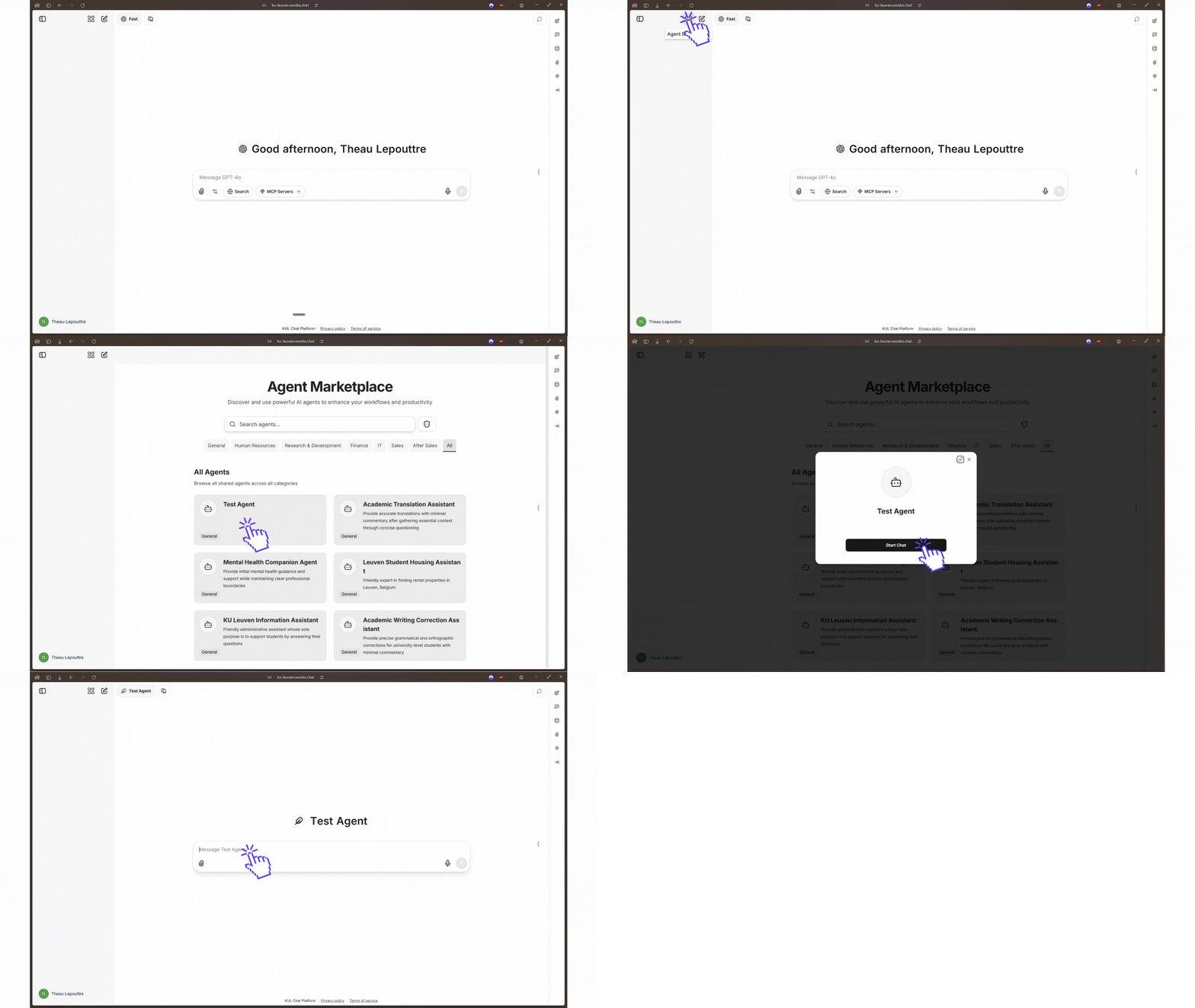
Agent marketplace location
- Browse agents by category
- Search functionality for quick discovery
- View detailed agent descriptions
2. My Agents Quick Access
Access your agents directly from the model selection dropdown at the top of the screen. At the bottom of the dropdown, you’ll see “My Agents”. You can hover over it to reveal a list of all your available agents with a search field.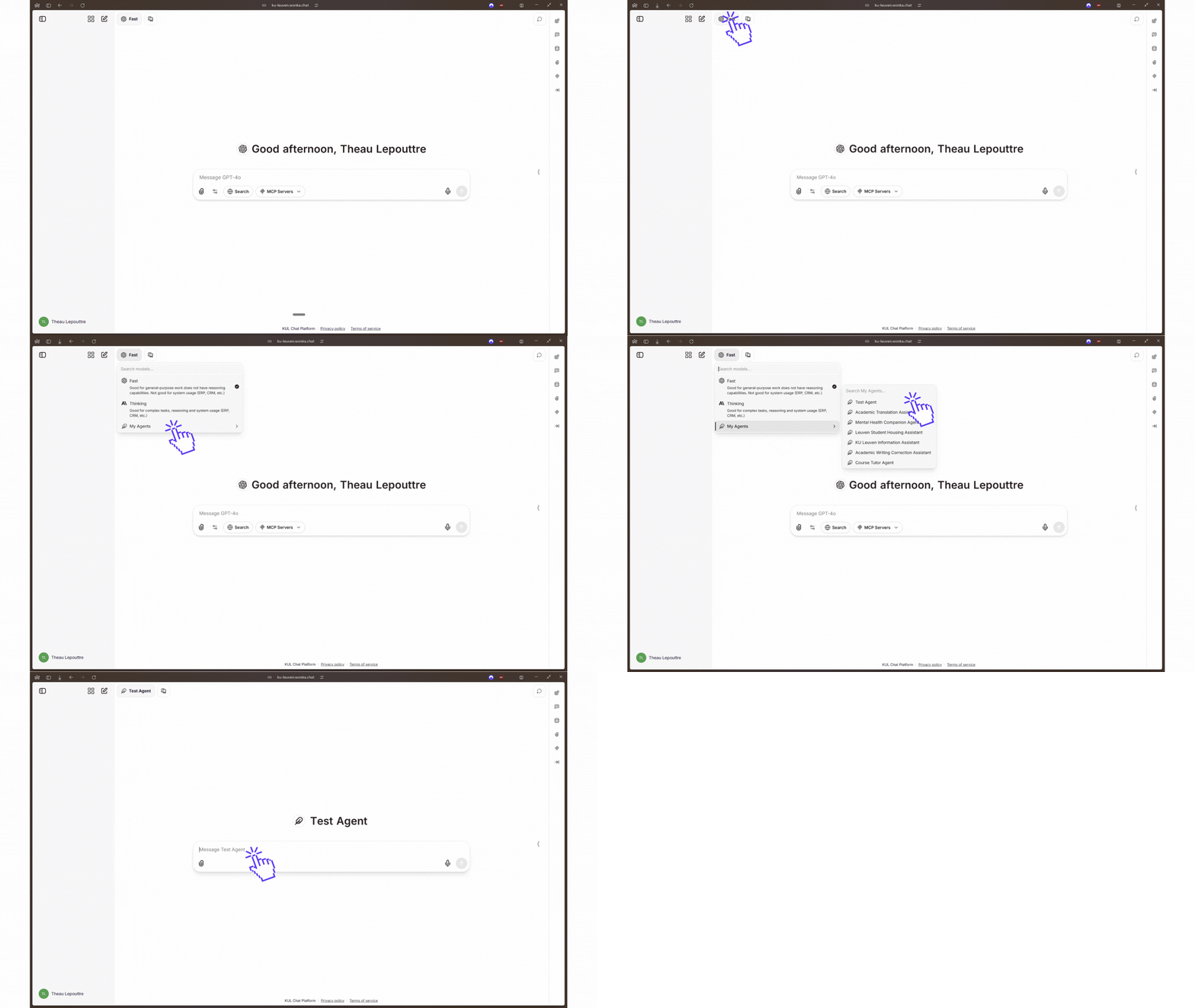
My Agents quick access in model selector
- Quick access to your frequently used agents
- Integrated search field for fast agent lookup
- No need to navigate away from your current screen
Agent Creation & Management
In your WonkaChat interface, find the Agent Builder on the right side of the screen. This panel allows you to create and manage your AI agents.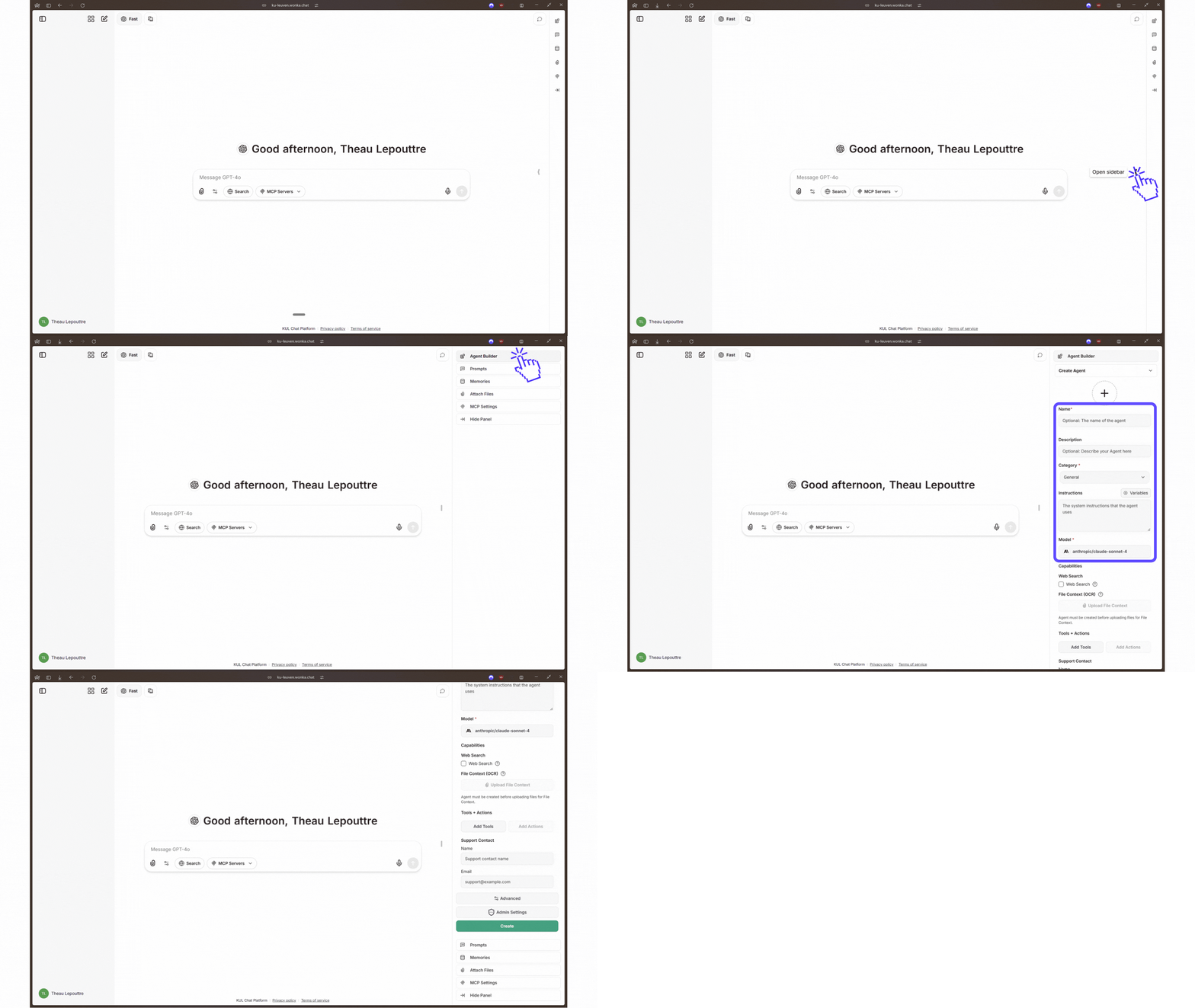
Agent Builder panel location
- Create new agents with custom instructions
- Modify existing agents configurations
- Assign MCP connections to agents
- Configure model and parameters
All users can create personal agents. Organization-wide sharing requires administrator approval.